Sign-in and accounts
Authentication, account recovery, profiles, and organization membership for your application.
Explore user accounts →Sign-in, organizations, and permissions for your app, running in your AWS account.
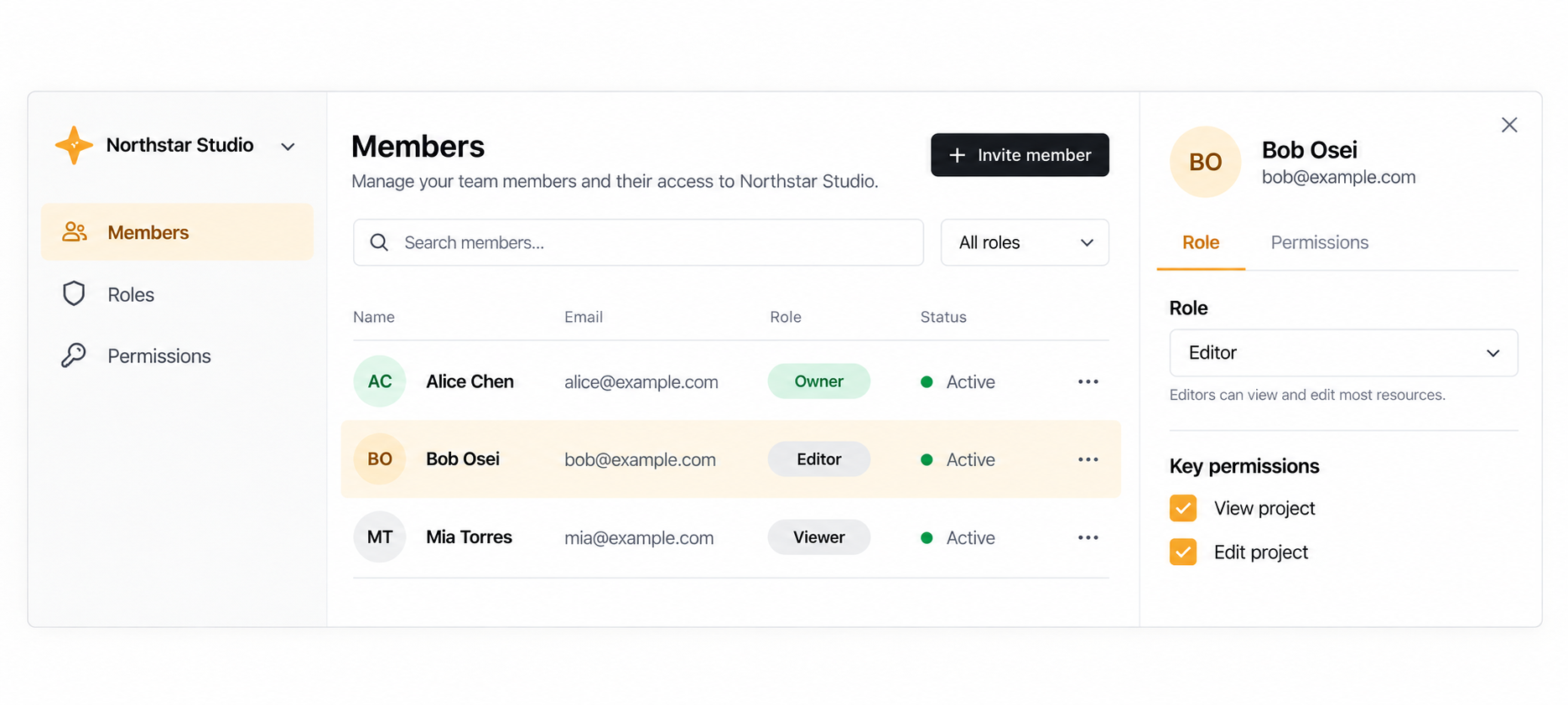
Start with reusable account components, or use the same services behind your own experience.
Authentication, account recovery, profiles, and organization membership for your application.
Explore user accounts →Model roles and access to your app's resources. Check permissions on your backend with the user's scope.
Explore permissions →Account and organization widgets exist today. We're bringing them together into a complete member workspace.
Explore the UI direction →Your app defines its resources and enforces access. SaaSLayer provides the user and permissions services behind it.
Configure the account widgets, customize their appearance, or use the hooks and SDK to build your own UI.
Verify the signed-in user and check their scope for each protected action. Hiding a button doesn't protect the action.
The current beta combines user-service and Permissions with coordinated setup in your account.
The controlled beta offers user-service and Permissions for admitted customers, with assisted setup in your AWS account. Contact us to discuss your app and the current scope.
That illustration shows the direction for a complete member workspace. Individual account and organization widgets are implemented; the integrated, ready-to-use workspace still needs development and validation.
Yes. Use the React hooks and JavaScript SDK behind your own UI, and enforce permissions in your backend. The components are an integration option.
Email hello@saaslayer.com with what you're building. We'll walk through fit, setup, and the beta's limits.
Tell us what you're building, or explore how the services fit together.